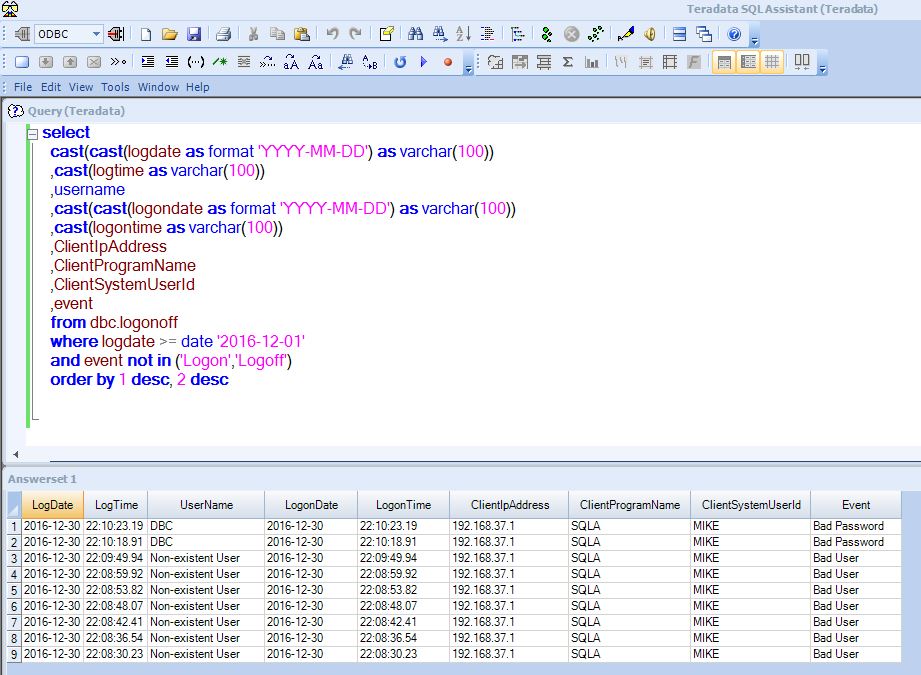
In Teradata, there is a way to view the reason that a username is not authenticating. Teradata is good about collecting information at the time of authentication. It can be verified, when an error like “Error: Logon failed!” occurs, if it is something like a bad password, or if the account is locked.
select
  cast(cast(logdate as format 'YYYY-MM-DD') as varchar(100))
  ,cast(logtime as varchar(100))
  ,username
  ,cast(cast(logondate as format 'YYYY-MM-DD') as varchar(100))
  ,cast(logontime as varchar(100))
  ,ClientIpAddress
  ,ClientProgramName
  ,ClientSystemUserId
  ,event
  from dbc.logonoff
  where logdate >= date '2016-12-01'
  and event not in ('Logon','Logoff')
  order by 1 desc, 2 desc
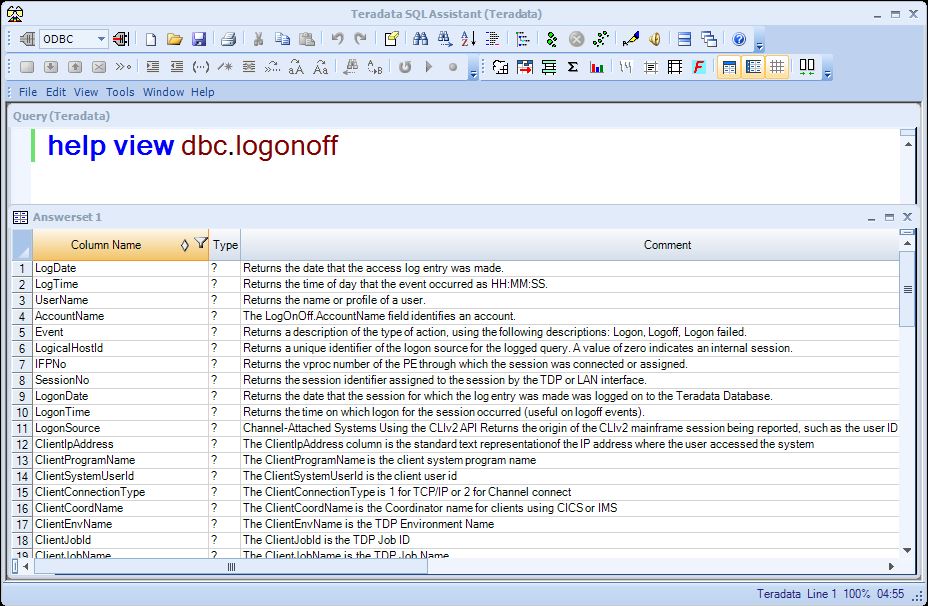
More columns can be added to the query with good information. To view all the information that can called from the “dbc.logonoff” view: “help view dbc.logonoff“